
Updated March 2026 | 10 min read
In today’s fast-paced digital world, site speed is more critical than ever. Whether you are running a personal blog, a business site, or an e-commerce platform, a slow website can hurt your SEO, conversions, and user experience. As Google’s Core Web Vitals become increasingly important in ranking algorithms, optimizing WordPress for speed should be a priority for any website owner.
In this post, we will explore proven strategies to speed up your WordPress website, ensuring you stay competitive, provide a seamless user experience, and maintain high search engine rankings in 2026.
Table of Contents
- Why Site Speed Matters for WordPress
- Key Factors Affecting WordPress Speed
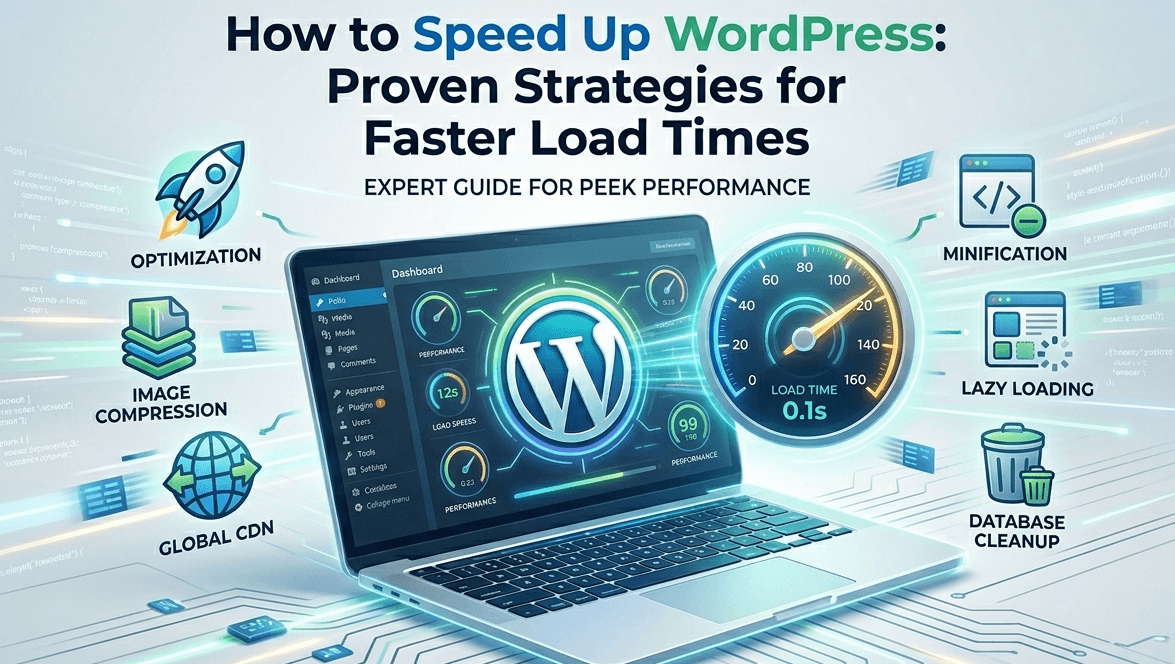
- Proven Strategies to Speed Up WordPress
- Choose the Right Hosting Provider
- Install a Caching Plugin
- Optimize Your Images
- Minify CSS, JavaScript, and HTML
- Use a Content Delivery Network (CDN)
- Enable Lazy Loading
- Clean Up Your WordPress Database
- Bonus Tips for Ongoing Optimization
- Conclusion
1.Why Site Speed Matters for WordPress
Site speed plays a crucial role in the overall performance and success of your WordPress website. Fast-loading websites provide a better user experience, reducing bounce rates and improving engagement. This, in turn, boosts your chances of ranking higher on search engines like Google, which prioritize fast, mobile-friendly websites.
Moreover, users expect fast-loading sites, and research shows that:
- 47% of users expect a webpage to load in 2 seconds or less.
- 53% of mobile visitors will abandon a website if it takes more than 3 seconds to load.
These statistics highlight why optimizing WordPress for speed is not just beneficial, but essential for your website’s success.
2. Key Factors Affecting WordPress Speed
Several factors affect your website’s load time. The most common ones include:
- Web Hosting: Low-quality hosting services can severely impact site speed.
- Large Images: Unoptimized or oversized images can slow down your site.
- Excessive Plugins: Too many plugins can lead to code bloat, slowing down page load times.
- Unoptimized Code: Inefficient CSS, JavaScript, and HTML code can increase file size and delay loading.
- Traffic and Server Load: High website traffic can strain server resources, leading to slower load times.
Identifying and addressing these factors will help you significantly improve your website’s speed.

3. Proven Strategies to Speed Up WordPress
Choose the Right Hosting Provider
The foundation of a fast WordPress site starts with choosing the right hosting provider. Managed WordPress hosting providers like Kinsta, WP Engine, and SiteGround offer specialized services that are optimized for WordPress performance. These hosting providers ensure your website runs on servers that are specifically configured for speed, reliability, and scalability.
If you are using shared hosting, consider upgrading to VPS or dedicated hosting to ensure better resource allocation for your site.
Install a Caching Plugin
Caching is one of the most effective ways to speed up WordPress. When you cache your website, static versions of your pages are stored, reducing the time it takes to load each page. This minimizes the need for repeated database queries, which can slow down your website.
Some popular caching plugins for WordPress include:
- FastMe
FastMe is a cloud-based WordPress optimization plugin that provides a great alternative to Airlift, especially for users on shared hosting. It offers a affordable Price, making it a cost-effective option for site owners who want to optimize performance without breaking the bank
- Cloud-Based Optimization: Offloads optimization tasks to the cloud, reducing the load on your server.
- Built-in CDN: Includes CDN functionality at no extra cost.
- Image Optimization: Automatically compresses and optimizes images.
- One-Click Setup: Easy-to-use setup and configuration.
- Affordable Pricing: Starts at $3.49/month (billed yearly)
This plugin automate caching processes, which speeds up page loading without requiring manual intervention.
Optimize Your Images
Images are often the largest files on a website and can significantly impact load times. Optimizing your images reduces their file size without compromising on quality.
To optimize images:
- Compress images using tools like Smush or ShortPixel.
- Use modern image formats like WebP, which offer better compression rates than traditional formats like JPEG and PNG.
- Resize images to match the actual display size on your site, avoiding unnecessarily large files.
Minify CSS, JavaScript, and HTML
Minifying involves removing unnecessary characters from your website’s code (spaces, line breaks, comments) to reduce its file size. Smaller files load faster, improving your website’s performance.
Plugins like Autoptimize and WP Rocket can automatically minify your website’s CSS, JavaScript, and HTML files, making your website faster and more efficient.
Use a Content Delivery Network (CDN)
A CDN (Content Delivery Network) is a network of servers located around the world that delivers content to users from the server nearest to them. By distributing your website’s content across multiple servers, a CDN can reduce load times, improve website reliability, and handle traffic spikes effectively.
Popular CDN services include Cloudflare, KeyCDN, and StackPath. Integrating a CDN with your WordPress site ensures that static content like images, CSS, and JavaScript are served quickly, no matter where your visitors are located.
Enable Lazy Loading
Lazy loading ensures that images, videos, and other media files only load when they come into view as the user scrolls down the page. This reduces initial load times and conserves bandwidth.
Most modern WordPress themes and plugins support lazy loading out of the box. You can also use plugins like a3 Lazy Load to enable this feature on your site.
Clean Up Your WordPress Database
Over time, your WordPress database accumulates unnecessary data, such as old revisions of posts, drafts, spam comments, and transients. This can slow down your site and make it harder to manage.
To clean up your database:
- Delete unnecessary post revisions and drafts.
- Remove spam comments and unapproved comments.
- Optimize database tables using plugins like WP-Optimize.
Regular database maintenance helps keep your website fast and efficient.
4. Bonus Tips for Ongoing Optimization
- Regularly Update WordPress: Keep your WordPress core, themes, and plugins updated to ensure performance improvements and bug fixes.
- Limit the Use of Heavy Plugins: Remove or replace plugins that use too many server resources or slow down your site.
- Use a Fast Theme: Choose a lightweight, fast-loading theme like GeneratePress or Astra that’s optimized for performance.
5. Conclusion
Speeding up WordPress is not just about improving your search engine rankings — it’s about providing a better experience for your users. By following the strategies outlined above, you can improve load times, reduce bounce rates, and boost conversions.
Whether you’re looking to speed up your blog, business site, or online store, implementing these proven strategies will help you stay competitive and offer a seamless experience to visitors in 2026.
Ready to speed up your WordPress website? Start implementing these strategies today and enjoy faster load times, better SEO, and improved user engagement!
© 2026 · Last updated March 28, 2026 · This article may contain affiliate links.